How to Check Car Insurance Validity in Saudi Arabia

If you are not sure whether your car insurance is active, you can check it online in a couple of minutes. In Saudi Arabia, the most reliable method is Absher, because it pulls the insurance validity status through an official e service. This guide covers the practical ways to check car insurance validity in Saudi Arabia using Absher, plus a few backup options if something does not show correctly.
What you need before you start
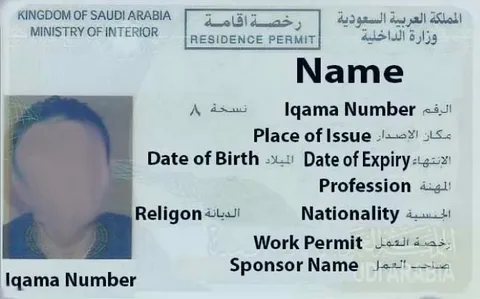
- Your National ID or Iqama number
- Your vehicle plate number and plate type if you are using the public Absher check
- Your Absher account login if you want to check inside your profile
- If available, your insurance policy number for a quick confirmation with the insurer
How to check car insurance validity in Saudi Arabia using Absher Public Query
This is the fastest option when you just want a quick status check without logging in.
- Go to Absher Individuals and open the public services section for Vehicle Insurance Validity
- Enter the required details, typically your ID number and your vehicle plate information
- Submit the request to view the insurance validity result
If you are checking a car you recently renewed, recheck later the same day or the next day if the status does not update immediately, then confirm with your insurer if it still looks wrong.
Absher Public Query Vehicle Insurance Validity
Check insurance validity inside your Absher account
Use this if you want to see your vehicle details under your profile, especially when you manage multiple cars.
- Log in to Absher Individuals
- Go to vehicle related services or inquiries
- Open your vehicle record and look for the insurance status and validity details
Tip: If you are using Absher regularly for vehicle services, this method is convenient because it keeps your checks in one place, alongside registration and other vehicle info.
Check insurance details in Tawakkalna
Tawakkalna is a practical option if you already use it. It is commonly used to view vehicle insurance details including policy and expiry information, depending on what is linked to your account and vehicle records.
- Open Tawakkalna
- Look for services related to vehicles or traffic services
- Open the vehicle section and view insurance details
If the insurance data is missing or outdated, rely on Absher as your main check, then confirm with your insurer.
If you need the official Tawakkalna entry point for setup and access, use Tawakkalna Portal
Check via Najm and other insurance related apps
Many drivers use Najm for accident related workflows, and some guides report checking insurance info through app flows tied to your vehicle profile. If you already have the app, it can be a helpful cross check, but treat Absher as your primary source for validity status.
If Najm or another app shows different data than Absher, trust Absher for the official status and confirm the policy record with your insurer if needed.
Confirm directly with your insurance company
Do this when the online portals do not match what you paid for, or if your renewal is very recent.
Use one of these routes:
- Insurer mobile app or customer portal, using your National ID or Iqama and policy number
- Customer service chat or hotline, ask them to confirm policy active status and start and end dates
- Ask for proof of coverage and keep it saved on your phone
This is also the best way to confirm any special cases like policy cancellation, replacement policies, or changes after a vehicle transfer.
Common issues and quick fixes
- You renewed but Absher still shows expired
Wait a bit and check again later, then confirm with the insurer if it does not update.
- You cannot find the vehicle in an app
Make sure the vehicle is linked to your ID and that your account is fully verified. Absher is usually the cleanest way to confirm.
- Plate details rejected in public query
Double check plate number, letters, and plate type selection. One wrong character will fail the search.
How often should you check
- After renewal payment, check on Absher later the same day and again the next day if needed
- Before a long road trip, do a quick check to avoid surprises
- If you buy a used car or transfer ownership, check again once the records are updated
For more information related to KSA you can use the KSA Buddy homepage as your starting point